Debian 初体验 2. 基础配置(软件源,常用软件,主机名称)
编辑时间:2024年12月
运行环境:Debian 12.8,两种环境:阿里云服务器amd64版,本地Mac虚拟机ARM版
配置软件源
Debian在自己的介绍中提到:Debian第一种使用包管理系统的 Linux 发行版,它让安装和删除软件变得非常容易。这一点在目前主流的Linux发行版都有实现,两大类主流包管理。
- 一种是基于 Debian 的 deb 软件包和 apt 包管理工具
- 另一种是基于 RedHat 的 rpm 软件包 和 yum 包管理工具
我们在Debian上配置apt源,来轻松的安装软件。这里使用阿里云的源服务,阿里云可能是国内最全的镜像源网站,包括各种各样的镜像资源 https://developer.aliyun.com/mirror/
- apt
- yum
- NodeJS 的 npm
- Python 的 pypi
- Ruby 的 gem
- Docker
- ...
回归正题,修改 /etc/apt/sources.list 文件,内容为下面这些
deb https://mirrors.aliyun.com/debian/ bookworm main contrib non-free non-free-firmware
#deb-src https://mirrors.aliyun.com/debian/ bookworm main contrib non-free non-free-firmware

deb https://mirrors.aliyun.com/debian-security/ bookworm-security main contrib non-free non-free-firmware
#deb-src https://mirrors.aliyun.com/debian-security/ bookworm-security main contrib non-free non-free-firmware

deb https://mirrors.aliyun.com/debian/ bookworm-updates main contrib non-free non-free-firmware
#deb-src https://mirrors.aliyun.com/debian/ bookworm-updates main contrib non-free non-free-firmware

deb https://mirrors.aliyun.com/debian/ bookworm-backports main contrib non-free non-free-firmware
#deb-src https://mirrors.aliyun.com/debian/ bookworm-backports main contrib non-free non-free-firmware
阿里云服务器可以使用内网地址
deb http://mirrors.cloud.aliyuncs.com/debian bookworm main contrib non-free non-free-firmware
deb-src http://mirrors.cloud.aliyuncs.com/debian bookworm main contrib non-free non-free-firmware

deb http://mirrors.cloud.aliyuncs.com/debian-security bookworm-security main contrib non-free non-free-firmware
deb-src http://mirrors.cloud.aliyuncs.com/debian-security bookworm-security main contrib non-free non-free-firmware

deb http://mirrors.cloud.aliyuncs.com/debian bookworm-updates main contrib non-free non-free-firmware
deb-src http://mirrors.cloud.aliyuncs.com/debian bookworm-updates main contrib non-free non-free-firmware

deb http://mirrors.cloud.aliyuncs.com/debian bookworm-backports main contrib non-free non-free-firmware
deb-src http://mirrors.cloud.aliyuncs.com/debian bookworm-backports main contrib non-free non-free-firmware
安装更新
sudo apt update
sudo apt upgrade -y
安装常用软件
比如安装 nginx,一个命令搞定 sudo apt install nginx,就很方便。
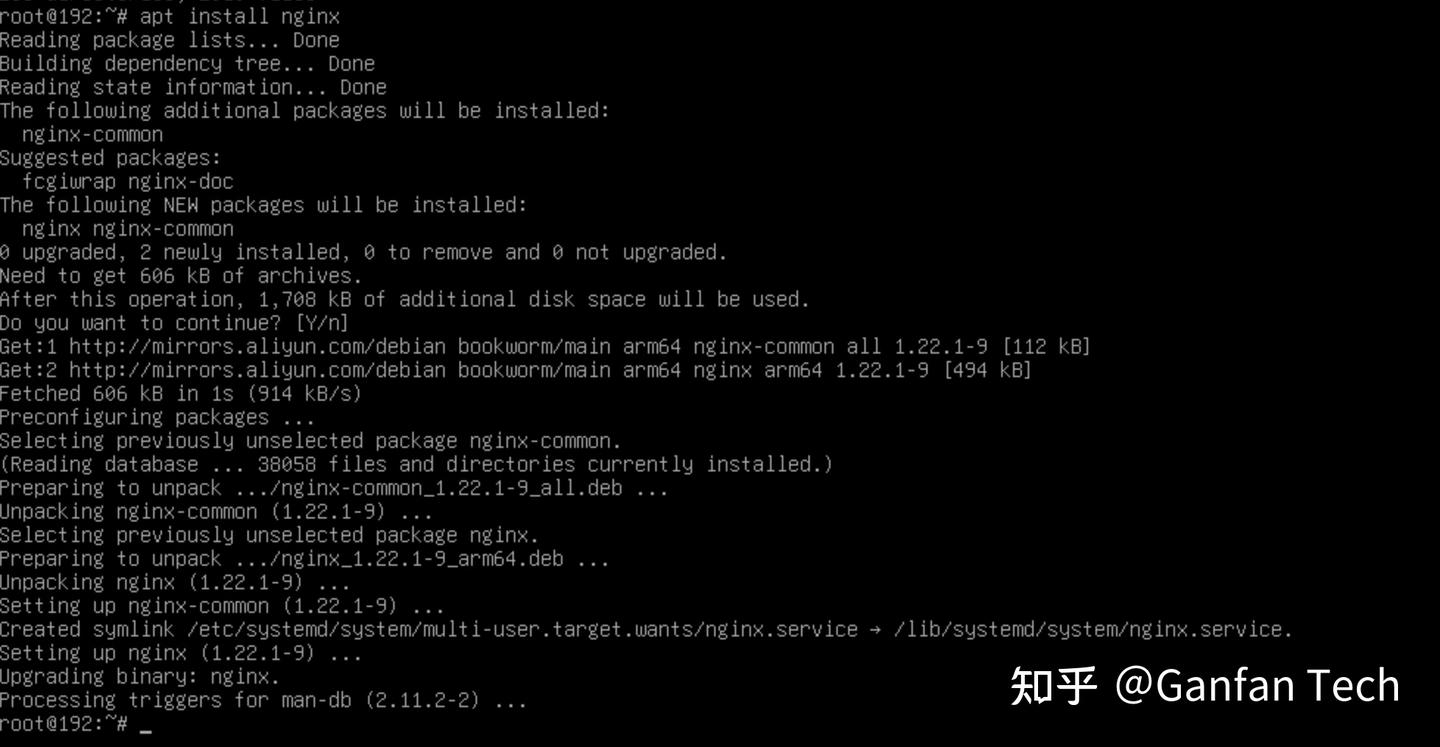
还有很多常用软件
- nginx 轻量高性能的web服务器
- tree 以树状展示文件夹下的目录结构
- git 代码管理软件
- zip, unzip 压缩、解压文件
- ...
另外本地虚拟机安装的Debian版本,也太精简了,连 sudo 都没有,关机命令也没有,害得我每次都得使用VMware 来强行关闭虚拟机。
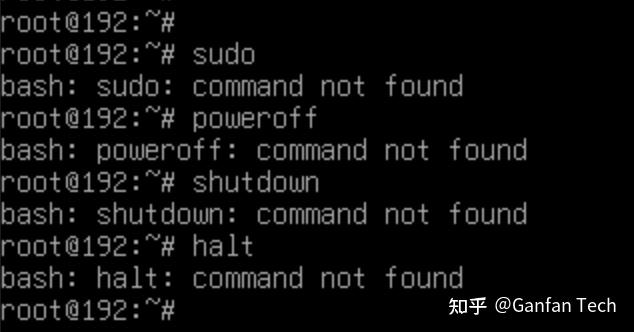
安装 sudo 很简单,apt install sudo,当你使用时,发现还需要把普通用户添加到 sudoers 里面
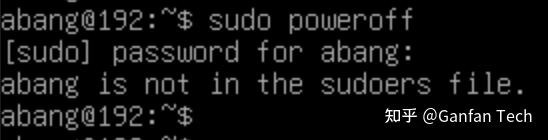
切换到 root 用户下,执行命令,添加用户到 sudo 下。
usermod -aG sudo abang
重新登录普通用户 abang,就可以使用 sudo 了。
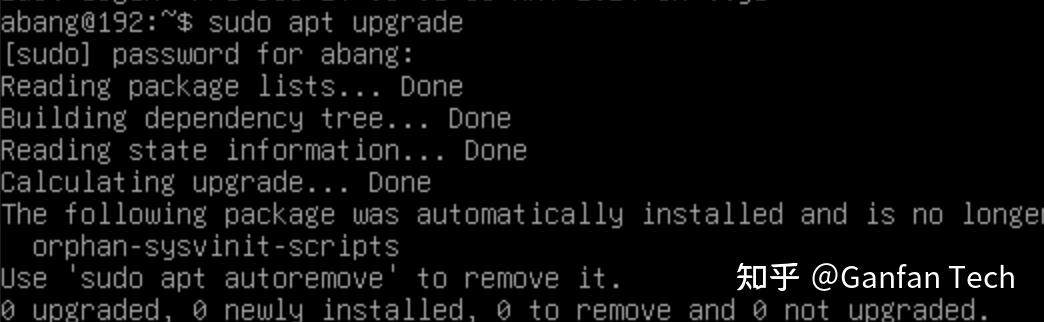
而 poweroff、shutdown 这几个命令也离奇的就好了,不知道怎么回事。
如果有遇到没有没有这几个命令的情况,
- 可以试试安装
apt install systemd-sysv - 使用 systemctl + 子命令 的方式
systemctl reboot

systemctl poweroff
配置主机名称
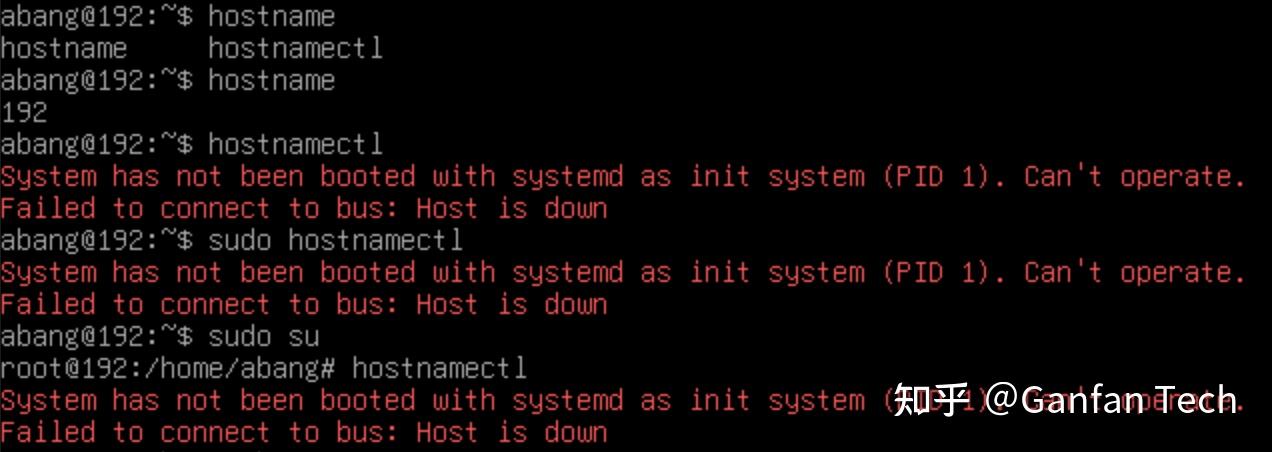
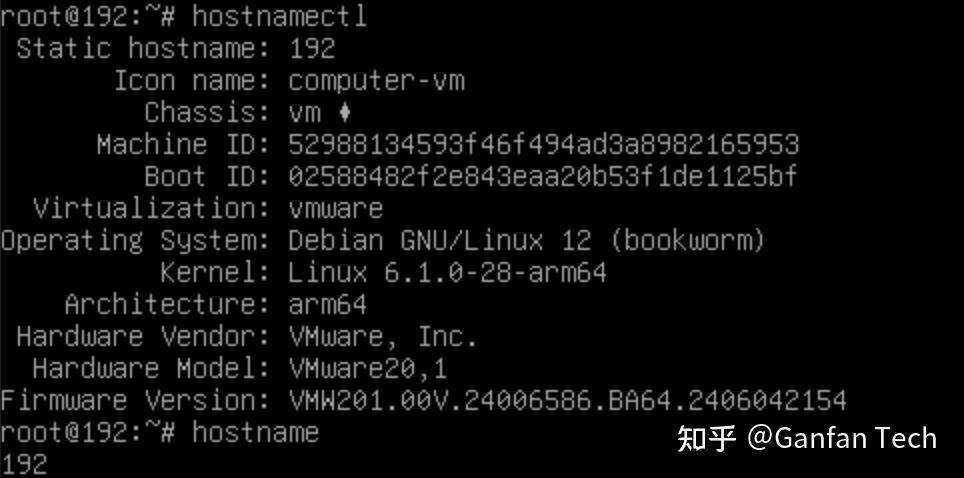
Debian 安装时,默认 hostname 是 192,这还挺奇怪的,难道是IP地址的前几位
在网络查到可以使用 hostnamectl 设置主机名称
但当输入时,发现报错,切换到root用户下还是不行。
重启虚拟机后,恢复了正常,果然重启能解决百分之九十九的问题
设置 hostname
hostname set-hostname my-debian
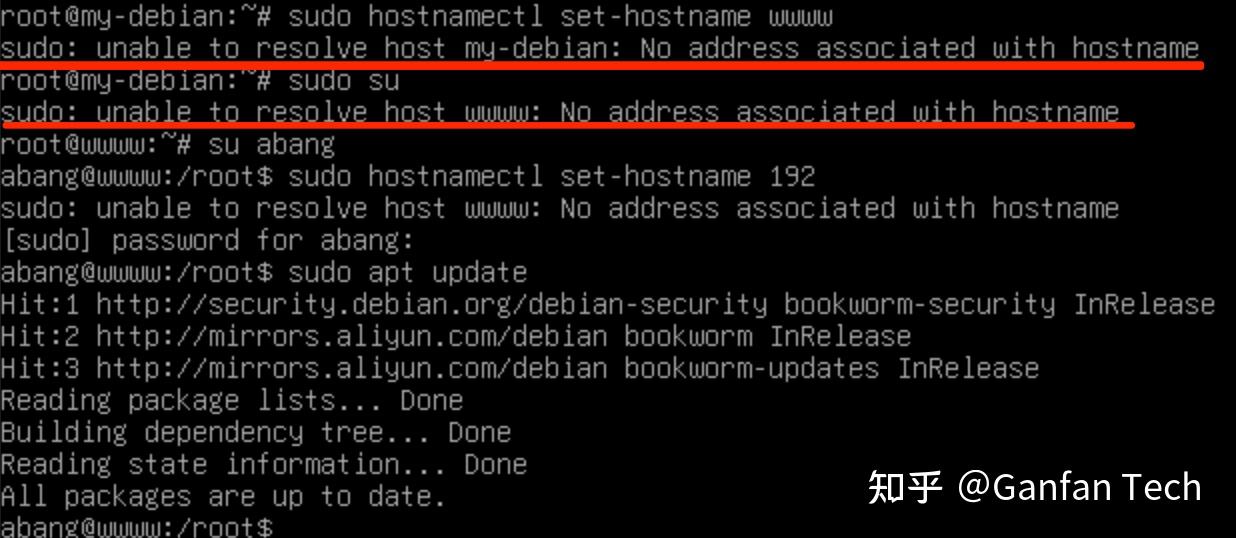
在root 下 不使用sudo,直接设置 hostname 没有问题;
而使用 sudo 设置 hostname 时又发现了新的奇怪问题,也可以设置成功,但很慢,还有一条错误信息。
未完待续。
Peace and Love.
开启送礼物